DRIVE
Give it character.
Explore seven saturation characters and dial in the amount of drive. From a subtle touch of warmth to a more obvious layer of grit, find the flavor that suits your vocal.
SATURATION / EXCITER
A modern saturation and exciter engine built to push vocals forward without making the workflow complicated.
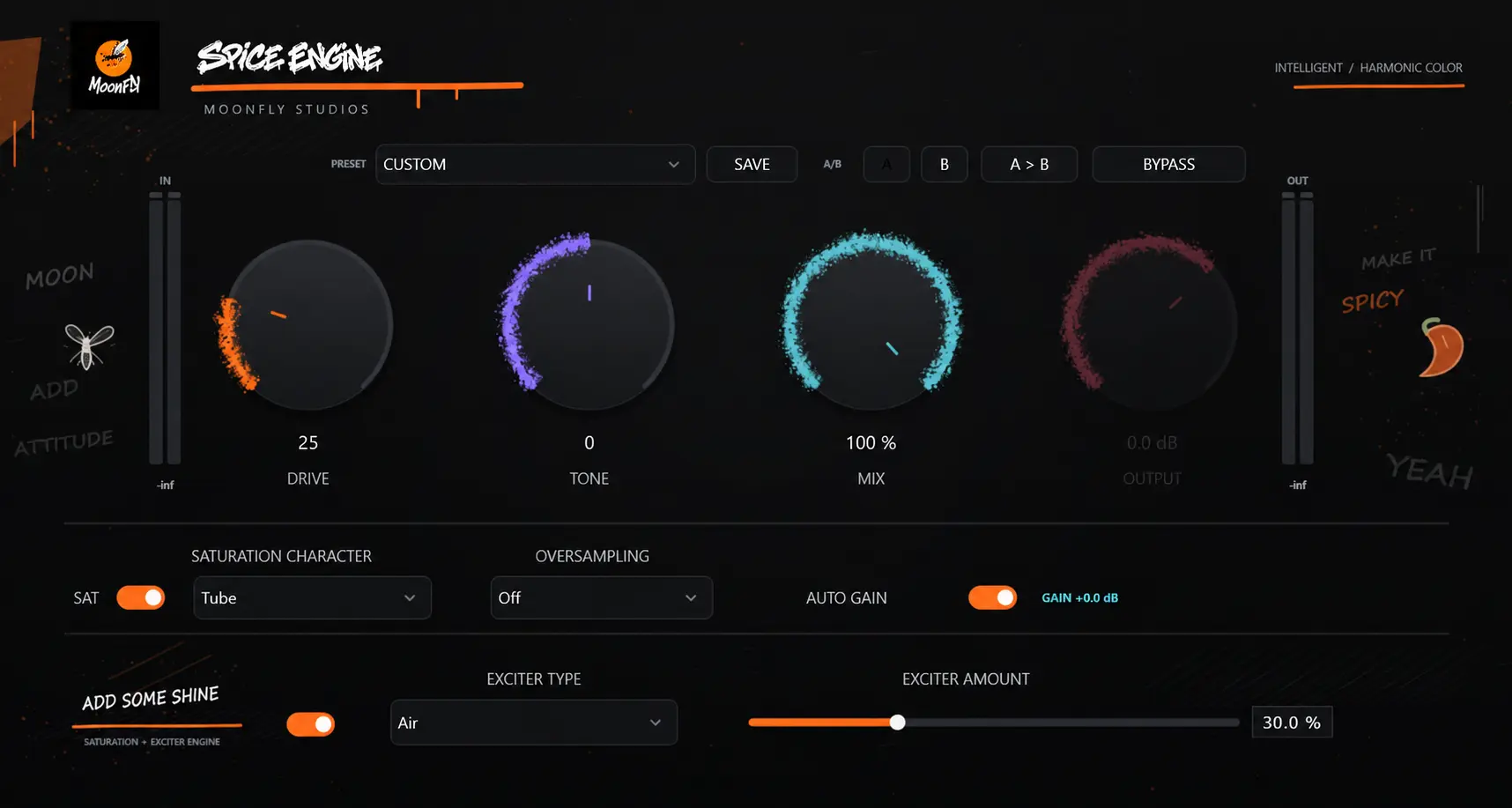
SHAPE. EXCITE. FINISH.
A vocal can need warmth, a little edge, or a brighter finish. Spice Engine brings saturation and excitation together, giving you different ways to explore its character without interrupting your creative flow.
DRIVE
Explore seven saturation characters and dial in the amount of drive. From a subtle touch of warmth to a more obvious layer of grit, find the flavor that suits your vocal.
EXCITE
Choose from five exciter modes to explore presence, air, and different top-end textures. Use a light touch for a finishing detail, or push it further for a bolder effect.
MIX
Blend the processed sound with your original signal. Explore a stronger effect, then bring it back to a balance that works in the context of your track.
THE SATURATION COLLECTION
Different recordings call for different approaches. Switch between characters, listen to how each responds to your vocal, and use Drive and Tone to shape the result.
Explore tube-inspired character. Try a gentle setting for warmth, then increase Drive to hear its stronger side.
Explore a softer clipping character. A useful flavor to audition when you want saturation with a gentler edge.
Explore the more assertive side of clipping. Push Drive for an obvious effect, then blend it to taste.
Try tape-inspired coloration as another way to shape your vocal. Compare it with Tube at similar settings to find the character you prefer.
Explore console-inspired character. Start with a small amount of Drive and listen to how it fits into your mix.
Another flavor to explore when shaping vocal tone. Audition it alongside the other characters and let the recording guide your choice.
Explore diode-inspired saturation as an alternative clipping flavor. Adjust Drive and Tone to find its place in your sound.
THE FINISHING TOUCH
Brightness can take different forms. Explore five exciter modes, adjust the amount, and listen for the texture that complements your vocal.
Your starting point for exploring an airy finish.
Try it when you’re looking for a more assertive edge.
Explore a different bright texture for your top end.
Audition it for a more pronounced finishing effect.
Another direction to explore for vocal presence.
Start with a small amount. Compare in context. Keep the setting that serves the song.
LESS TALK. MORE LISTENING.
Listen to the original vocal, then switch to Spice Engine to hear the effect in action.
UNDER THE HOOD
Sound comes first. These features help you work with it.
Helps keep level changes under control while you explore different Drive settings.
Choose Off, 2×, 4×, or 8× oversampling to suit your session.
Designed for use in a compatible VST3 host. Check compatibility before purchasing.